Slab Layout Without a Scanner or Proliner
Digital slab visualization for every shop — regardless of budget, size, or hardware.
You should not need to spend $15,000 to $30,000 on scanning hardware to show a client how their countertop will look on the slab they picked. SlabKast replaces the scanner with your phone. Same workflow outcome — calibrated slab image, piece layout, vein matching, client approval, DXF export — without the capital expenditure.
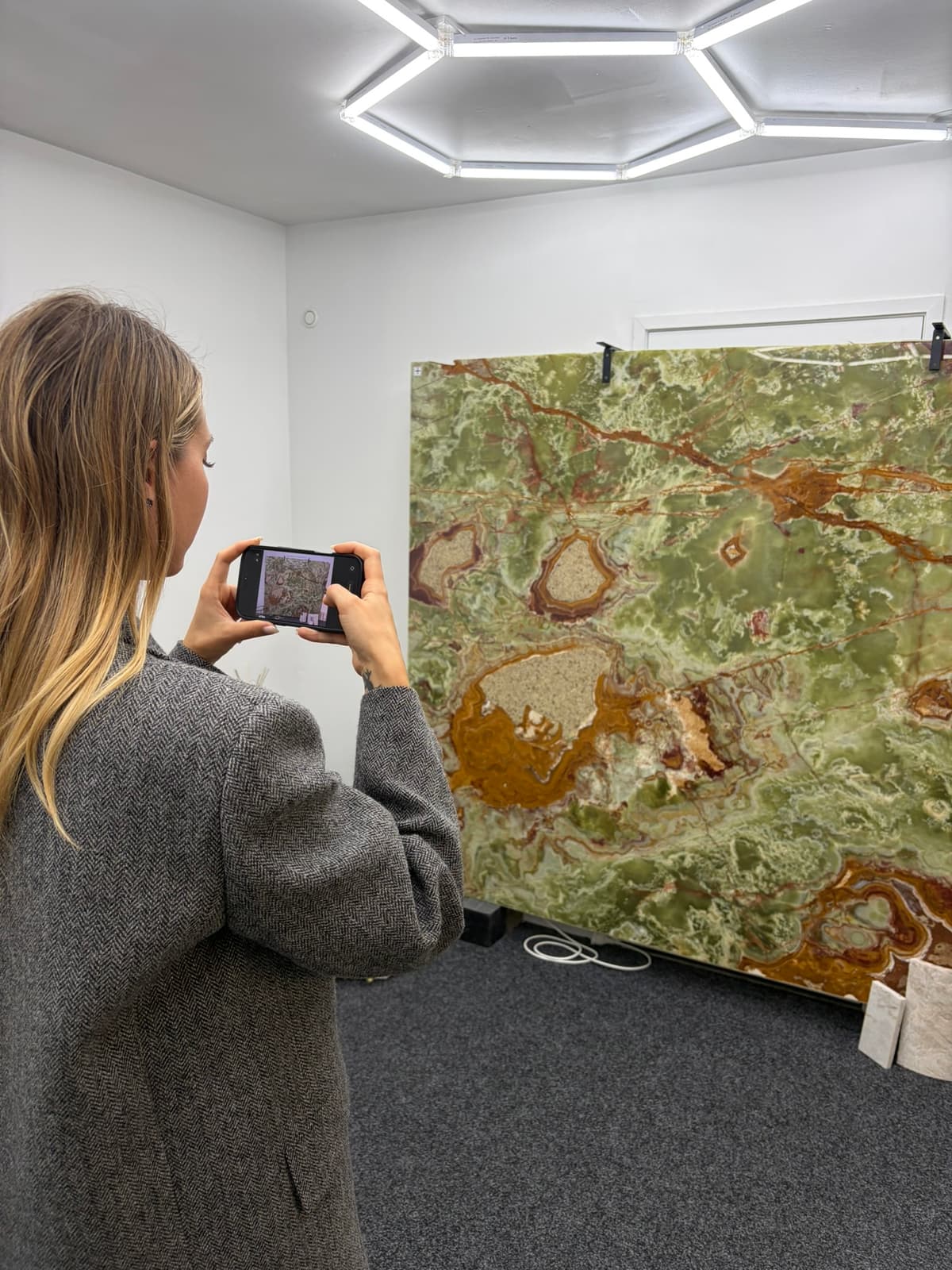
The hardware barrier
Digital slab layout has been available for years. The technology works. Fabricators who use it close more deals, reduce remakes, and give their clients a better experience. The problem has never been the technology — it has been the price of entry.
A dedicated slab scanner system costs $15,000 to $30,000 for the hardware alone. Add the dedicated computer to run it, the software license ($3,000 to $8,000 per year), the annual calibration contract ($1,500 to $3,000), the installation, and the training time. A Proliner digital templating system runs $15,000 to $25,000. Some shops invest in both.
Total first-year cost for a scanner-based digital layout workflow: $20,000 to $50,000. Ongoing annual costs: $5,000 to $11,000. And that is before you account for the 80 to 120 square feet of dedicated floor space you need for a permanent photo station.
For a large shop running 150-plus jobs per month with $3 million or more in annual revenue, those numbers make sense. The ROI is clear. The equipment pays for itself through reduced remakes and better material utilization.
But the majority of countertop fabrication shops in the United States are not large operations. They run 20 to 60 jobs per month. They have 5 to 15 employees. Annual revenue is $500,000 to $2 million. For these shops — the backbone of the industry — a $30,000 scanner system is not just expensive. It is a non-starter.
The result is a two-tier industry. Larger shops with scanners offer digital visualization, win premium projects, and reduce their remake rates. Smaller shops without scanners rely on wax pencils and eyeball estimates, lose competitive bids, and absorb higher remake costs. The hardware barrier does not just block access to technology — it blocks access to the business advantages that technology provides.
What if you could skip the hardware?
Your phone is already a precision camera. A tape measure costs $15. Calibration targets are included with your SlabKast subscription. That is all you need.
Place four calibration targets on the slab surface. Photograph the slab with your phone. Enter the measured distances between targets. SlabKast applies a projective rectification that transforms your angled phone photo into a dimensionally accurate, true-scale, top-down slab image — accurate to within 1-2mm across the full surface.
From there, the workflow is identical to what scanner shops do. Drag template pieces onto the calibrated slab image. Align veins across seams. Send the client a shareable approval link. Export a CNC-ready DXF file. Same outcome, different path. The difference is the path costs $149 per month instead of $30,000 upfront.
The key technology is slab photo calibration. By using known reference measurements to correct perspective distortion, SlabKast turns a commodity device — your phone — into a production-grade slab imaging tool. No scanner required. No Proliner required. No capital expenditure required.
Three approaches to slab layout
Every shop falls into one of these three categories. The question is whether the middle option is the only digital path — or whether there is a way to get most of its benefits without the price tag.
Manual Layout
- Hardware cost$0
- AccuracyVariable
- Digital outputNone
- Client approvalVerbal only
- Vein matchingEyeball estimate
- CNC exportNot available
- Remake riskHigh (3-5%)
Wax pencils, paper templates, best-guess vein alignment. Still the default for most small shops.
Scanner / Proliner
- Hardware cost$15K – $30K
- AccuracySub-mm
- Digital outputYes
- Client approvalVaries by software
- Vein matchingYes
- CNC exportYes
- Remake riskLow (<1%)
The gold standard for accuracy. Fixed location, high cost, annual maintenance.
Phone-Based (SlabKast)
- Hardware cost$0
- Accuracy1 – 2mm
- Digital outputYes
- Client approvalBuilt-in
- Vein matchingYes
- CNC exportYes (DXF)
- Remake riskLow (<1%)
Production-grade accuracy, any location, zero hardware investment. Client approval included.
Built for shops that need digital layout without the hardware price tag
Phone-based slab layout is not a compromise — it is a different path to the same destination. Here is who benefits most.
Shops that cannot justify $20K+ hardware
You run 20 to 50 jobs a month. Your margins are solid but not extravagant. A $30,000 scanner system would take two or three years to pay for itself, and that assumes everything goes smoothly with installation and training. SlabKast gives you the core benefits — digital visualization, vein matching, client approval, DXF export — at $149 per month with zero upfront cost.
Mobile fabrication teams
You do not have a fixed shop — or your shop does not have room for a permanent photo station. You visit supplier warehouses to select slabs. You need to photograph and calibrate on location, then build layouts from wherever you are working. A scanner is bolted to the floor. Your phone goes wherever you go.
Multi-location operations
You have slabs at multiple locations — your shop, a secondary yard, a supplier's warehouse. A scanner system lives in one place. With phone-based calibration, any team member at any location can photograph and calibrate a slab in minutes, then access the calibrated image from any device. No moving slabs to the photo station.
Shops that want client approval workflows
Some scanner systems excel at image capture and CAD integration but lack built-in client-facing approval workflows. SlabKast is built around the approval step — shareable layout links, digital sign-off, revision tracking. If client communication and approval is a pain point for your shop, phone-based layout with built-in approval solves two problems at once.
New shops in their first year
You just opened. Cash is tight. Equipment decisions carry real financial risk. You need to compete with established shops that already have scanner systems — but you cannot finance $30,000 in scanning hardware before you have proven your revenue model. SlabKast lets you offer the same digital visualization from day one, funded out of operating cash flow at $149 per month.
Shops evaluating scanner purchases
You are thinking about buying a scanner but want to validate the digital layout workflow first. Use SlabKast to understand how digital layout fits into your production process, train your team on the workflow, and measure the impact on your close rate and remake rate — all before committing to a five-figure hardware purchase.
What you give up — and what you do not
What you give up
Sub-millimeter measurement accuracy
Scanner systems measure to fractions of a millimeter. Phone rectification measures to 1-2mm. For countertop fabrication, where standard piece tolerances are 1.5-3mm and CNC kerf tolerances add another millimeter, this difference is rarely meaningful in the finished product. But if your work requires true sub-millimeter dimensional accuracy across the slab image, a scanner delivers that and phone rectification does not.
Deep AutoCAD integration
Some scanner-based workflows are tightly integrated with AutoCAD or proprietary CAD systems. If your shop runs a CAD-centric production pipeline where slab images feed directly into an AutoCAD workflow, SlabKast's DXF export covers most CNC needs but does not replicate a full CAD integration. For shops using DXF as their standard exchange format, there is no functional gap.
Automated slab cataloging
Enterprise scanner systems sometimes include automated slab inventory management — scan a slab and it is automatically cataloged with dimensions and a searchable image. SlabKast requires manual photo upload and calibration. For shops with hundreds of slabs turning over monthly, this manual step adds time. For most shops with 20 to 80 slabs in inventory, it takes minutes.
What you do NOT give up
Vein matching
Full visual vein matching on the calibrated slab image. Rotate, mirror, and nudge pieces to align grain patterns across seams. See exactly how the vein flows through each piece before cutting. This is the feature that prevents the most expensive remakes, and it works identically with phone-based calibration. Read more about vein matching.
Client approval
Shareable layout links with digital sign-off. Your client sees the actual stone with the actual pieces positioned on it — not a rendering, not a simulation. They approve before you cut. This eliminates the "that is not what I picked" conversations that lead to remakes on expensive materials. Many scanner systems do not include this feature at all.
DXF export for CNC
Standard DXF files compatible with any CNC saw or waterjet. The DXF carries the real-world dimensions from your calibrated slab image. Park Industries, BACA, Northwood, Intermac, Breton, GMM — if it reads DXF, it reads SlabKast exports. Learn more about DXF export.
Production-grade accuracy
1-2mm accuracy across the slab surface. Within the tolerance stack of standard countertop fabrication. Your pieces will fit. Your seams will align. Your CNC will cut correctly. The accuracy you need for production — not the accuracy spec sheets use for marketing.
The path to digital layout
From sign-up to your first production layout in under 30 minutes. No installation. No training period. No waiting for hardware delivery.
Sign up
Create your account. Takes two minutes. No credit card required for the 7-day trial. Full access to every feature from day one — rectification, layout, vein matching, client approval, DXF export.
Photograph a slab
Place four calibration targets on your slab. Take a photo with your phone. Upload it to SlabKast. The entire photo calibration process takes less than five minutes.
Calibrate
Mark target positions, enter measured distances. SlabKast rectifies the photo to true scale in seconds. Your slab image is now a dimensionally accurate layout surface.
Layout
Drag countertop template pieces onto the calibrated image. Position for optimal vein direction and minimal waste. See real-time measurements as you move pieces. Use the slab layout tools to plan every cut.
Approve
Send your client a shareable layout link. They see the actual slab with the actual pieces. They approve digitally — no ambiguity, no miscommunication, no surprises at installation. This one step alone prevents the majority of layout-related remakes.
Export
Export the approved layout as a CNC-ready DXF file. Load it into your saw or waterjet. Cut the pieces exactly as they appear on screen. Done.
Total hardware cost
$0
Monthly subscription
$149/mo
Setup time
10 minutes
Training required
Under 1 hour
Common questions about no-scanner slab layout
Can I really create accurate slab layouts without a scanner?
Yes. SlabKast uses phone-based photo rectification to create calibrated slab images accurate to 1-2mm. You place four calibration targets on the slab, photograph with your phone, and enter measured distances between targets. The software applies a projective transformation to produce a true-scale, top-down image. For countertop fabrication, where standard piece tolerances are 1.5-3mm, this accuracy is well within production requirements.
How does phone-based layout accuracy compare to a Slabsmith or scanner system?
Dedicated scanner systems like Slabsmith achieve sub-millimeter measurement accuracy. Phone-based rectification with SlabKast achieves 1-2mm accuracy with careful measurements. The practical difference for countertop layout is minimal — both produce dimensionally accurate slab images suitable for piece placement, vein matching, and DXF export. The cost difference is significant: $0 hardware vs $15,000-$60,000.
What do I need to get started with no-scanner slab layout?
A smartphone (any modern iPhone or Android), four calibration targets (included with your SlabKast subscription), a rigid steel tape measure, and a SlabKast subscription starting at $149/month. No other hardware, no installation, no calibration contracts, no dedicated floor space. Your first slab can be calibrated within 10 minutes of signing up.
Can I export DXF files for CNC cutting without a scanner?
Yes. SlabKast exports standard DXF files from phone-calibrated slab layouts. The DXF carries the real-world dimensions established during calibration — piece outlines, seam positions, and all measurements at production accuracy. These files work with any CNC saw or waterjet that accepts DXF input, including machines from Park Industries, BACA Systems, Northwood, Intermac, and others.
Is phone-based layout suitable for high-end residential projects?
Absolutely. Phone-based layout is especially valuable for high-end work because it enables client approval workflows that scanner systems often lack. Your client sees the actual slab with their actual countertop pieces positioned on it — veins aligned, seams planned, waterfall edges matched. They approve the layout digitally before you make a single cut. This visual confirmation is what prevents the costly remakes that are most painful on expensive materials.
What happens if I later decide to buy a scanner? Can I still use SlabKast?
Yes. SlabKast works with scanner-produced images as well as phone photos. If you grow to a volume where a scanner makes financial sense, you can use scanner images as your slab source and still benefit from SlabKast layout, vein matching, client approval, and DXF export features. The software is not locked to phone-based input — it is a layout platform that accepts any calibrated slab image.
No scanner. No Proliner. No hardware investment.
Digital slab layout should be accessible to every fabrication shop — not just the ones that can write a $30,000 check for scanning hardware. SlabKast makes it possible with the phone you already own.
Start your 7-day free trial. Photograph a slab, calibrate it, build a layout, and see the difference. No credit card required. No hardware to install. No contracts to sign.
Already considering scanner hardware? See how phone rectification compares →