Phone Photo to CNC: The Complete Digital Slab Workflow
The most significant change in stone fabrication workflow in the last decade is not a new saw or a new material. It is the ability to go from a phone photo of a slab to a CNC-ready cut file in under 10 minutes — without any scanner hardware.
This guide walks through the complete workflow step by step: from slab photography and calibration through layout, vein matching, client approval, DXF export, and CNC cutting. If you have never used a digital slab layout tool before, this is where to start.
The Workflow Overview
Eight steps, one platform, no hardware beyond your phone and a tape measure.
Photograph
Snap the slab with your phone
Place Targets
Set 4 calibration targets on the slab
Measure
Record distances between targets
Calibrate
Software rectifies the photo to true scale
Layout
Drag template pieces onto the slab
Vein Match
Align veins across seams
Approve
Send approval link to client
Export & Cut
Export DXF, zero CNC, cut
Step 1: Photograph the Slab
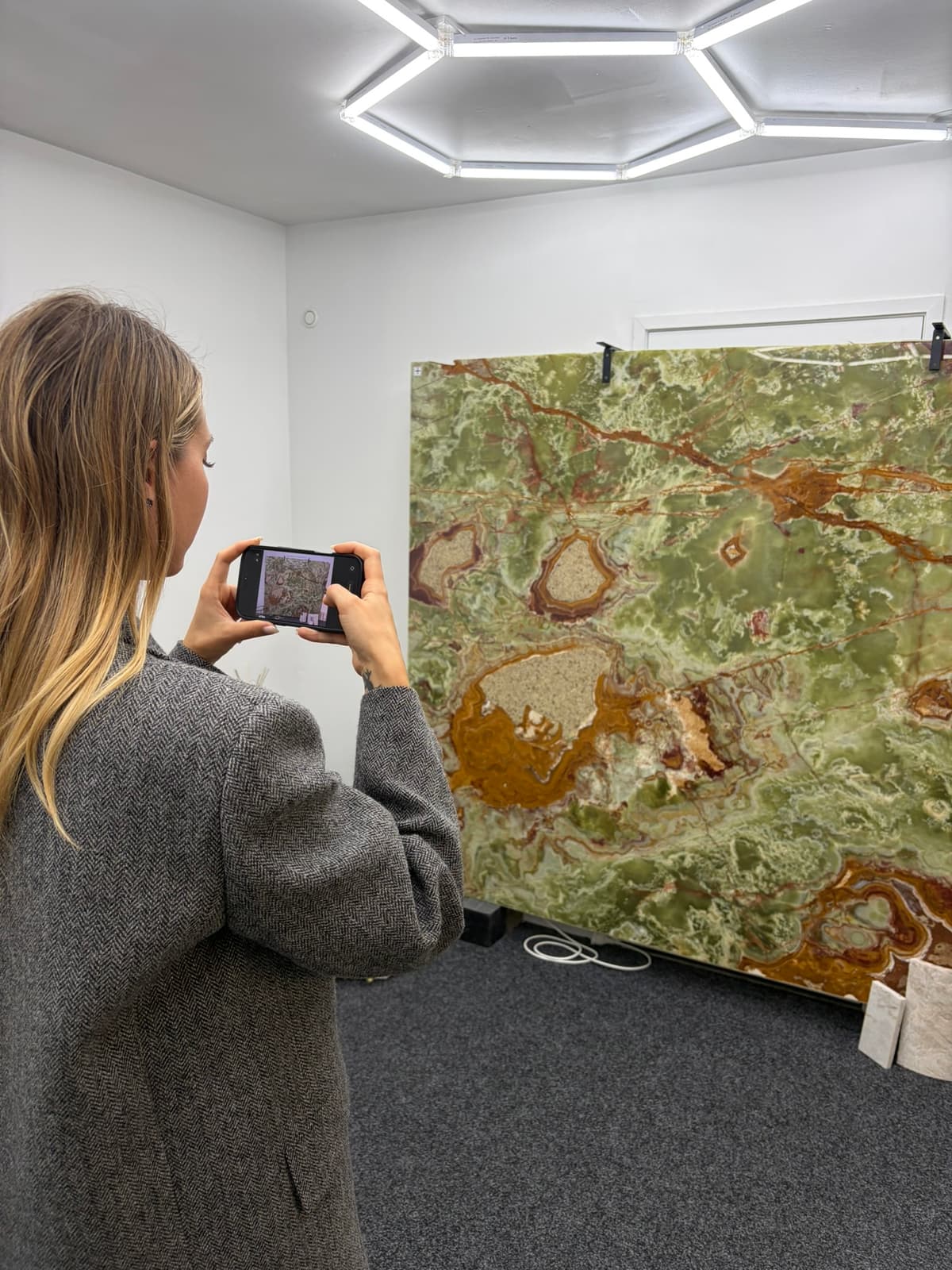
Stand approximately 1.5–2 meters from the slab and take a single photo that captures the entire surface. The photo does not need to be perfectly overhead — the calibration step corrects for perspective. What matters:
- The entire slab must be visible in the frame
- All four calibration targets must be visible
- Lighting should be even — avoid harsh shadows or glare spots
- If veins are faint, lightly wet the surface to increase contrast
Step 2–3: Place and Measure Calibration Targets
Place four calibration targets on the slab surface — one near each corner, inside the slab boundaries. Using a tape measure, record the distance from the center of each target to the center of every other target. You need a minimum of four measurements (the four sides of the quadrilateral formed by the targets).
Accuracy tip: This is the most important step in the entire workflow. The accuracy of your final DXF depends directly on the accuracy of these measurements. Measure carefully, to the nearest millimeter. Use a rigid tape measure, not a fabric tape. Double-check measurements that seem inconsistent.
The targets should be spread across the slab to provide good coverage. Avoid clustering them in one area — wider spacing gives better calibration accuracy across the full surface.
Step 4: Upload and Calibrate
Upload the slab photo to SlabKast. Mark the position of each target in the photo by clicking on its center point. Enter the measured distances between targets.
The software performs a mathematical rectification — it transforms the perspective-distorted phone photo into a true top-down, dimensionally accurate view. After calibration, every point on the slab image corresponds to a real-world coordinate. You can measure distances directly on the screen and they will match reality.
Step 5–6: Layout and Vein Match
Import your template pieces — the DXF or drawn shapes representing each piece of the countertop. Drag them onto the calibrated slab image. You can see immediately whether each piece fits within the slab boundaries and how the stone's natural veins flow through each shape.
For vein matching, rotate and flip pieces to align veins across seams. On marble, quartzite, and other veined materials, this step can take 5–15 minutes of careful adjustment. On uniform materials like engineered quartz, it takes seconds. If you are new to working without a scanner, the calibration step is the key to accuracy.
Plan seam locations based on both structural requirements and vein appearance. The software shows you exactly where each seam will fall and what the vein pattern will look like at each joint.
Step 7: Client Approval
Generate an approval link and send it to the client. They open it on their phone or computer and see the exact layout — their countertop pieces positioned on their specific slab, with the real vein patterns visible. No imagination required.
The client approves or requests changes. If they want adjustments — move a seam, try a different orientation, shift a piece to capture a specific vein — you make the change in the software and re-send. This iteration happens at zero cost. Changes after cutting cost thousands.
The approval is recorded with a timestamp. If there is ever a dispute about what was agreed upon, you have a documented record showing exactly what the client approved.
Step 8: Export DXF and Cut
Export the approved layout as a DXF file. The DXF contains all piece outlines positioned exactly as they appear on the slab, in millimeters at true scale. No scaling or rotation is needed.
On the CNC:
- Place the slab on the CNC bed
- Zero the machine to the calibration target positions on the physical slab
- Verify alignment by jogging the CNC head to where other targets should be — if it lines up with the physical target, your zero is correct
- Import the DXF into your CNC software
- Set cutting parameters (tool diameter, feed rate, depth)
- Cut
The pieces are cut in the exact positions shown in the approved layout. What the client approved is what gets fabricated.
Time and Cost Comparison
| Metric | Traditional | Phone-to-CNC |
|---|---|---|
| Layout time per slab | 30–60 min | 5–10 min |
| Client approval | Phone call + trust | Visual link + recorded approval |
| Remake risk | 5–10% | <1% |
| Hardware cost | $0 (manual) or $15K+ (scanner) | $0 |
| Software cost | $0 (manual) or $2K+/yr (scanner) | $149/mo |
Frequently Asked Questions
What phone do I need for slab photography?
Any modern smartphone works — iPhone or Android. You do not need a professional camera. The key is capturing the entire slab with all four calibration targets visible. Higher resolution phones produce better detail for vein matching, but even a 5-year-old phone has sufficient resolution for accurate layout work.
What are calibration targets?
Calibration targets are physical markers placed on the slab surface at known positions. You measure the distances between target centers with a tape measure and enter these measurements into the software. The software uses these known distances to mathematically correct the phone photo into a dimensionally accurate representation — correcting for perspective distortion, camera angle, and lens distortion.
How accurate is the DXF export?
The DXF accuracy depends on how precisely you measure the distances between calibration targets. With careful measurement (within 1mm), the exported DXF will be accurate to within 1–2mm across the entire slab. The DXF is output at true scale in millimeters — no scaling needed in your CNC software.
Does this workflow work with any CNC machine?
Yes. The DXF file format is universal — it works with virtually every CNC machine and CAM software on the market. You import the DXF, set your toolpath parameters (tool diameter, feed rate, depth of cut), zero the machine to the target reference points, and cut.
Can I use this workflow for materials other than natural stone?
Absolutely. The photo-to-CNC workflow works with any slab material: marble, granite, quartzite, porcelain, engineered quartz, sintered stone, or any other flat sheet material. The calibration process is material-agnostic — it only requires that you can place targets on the surface and photograph it.
What happens if the client requests changes after approval?
You modify the layout in SlabKast, re-send the approval link, and the client reviews the updated version. The DXF is only exported after final approval. This iterative process is one of the main advantages of digital layout — changes at the planning stage cost nothing, while changes after cutting cost thousands.
Try the Workflow Yourself
Bring your own slab photo. See the result in minutes. 7-day free trial, no credit card, no hardware.
Start free trial