Stone Fabrication Software That Fits How Your Shop Actually Works
Not another enterprise system. A focused tool that does one thing well: show the slab before you cut it.
You did not get into stone fabrication to spend your day learning software. You got into it because you are good at working with stone. The problem is that your clients now expect digital previews, visual approvals, and transparency that a wax pencil and a phone photo cannot deliver. Stone fabrication software should close that gap without adding complexity to your day. That is what SlabKast does.
The technology gap
Walk into a cabinet shop in 2026. They are running CNC routers driven by 3D CAD software. The designs are rendered before the first sheet of plywood is cut. Clients see photorealistic images of their kitchen cabinets before signing the contract. The tile installer has a layout app that shows every tile on a floor plan with exact grout lines. The painter has color visualization software that lets homeowners see the wall color before a can is opened.
Now walk into most stone fabrication shops. There is a slab leaning against an A-frame. A fabricator is holding a paper template against the slab, marking cut lines with a wax pencil. He is estimating vein direction by eye. The client will not see what the countertop looks like until the day it is installed in their kitchen. If they do not like it, the only options are accept it or pay for a remake.
This is not because stone fabricators are behind the times. It is because the tools available to the industry have been either too expensive or too cumbersome. A full scanner system costs $15,000 to $60,000. Enterprise fabrication software tries to manage everything from lead tracking to machine scheduling, costs a fortune in licenses, and takes months to implement. For a shop running 20 to 40 jobs per month, neither option makes sense.
The result is a technology gap. Clients expect the same digital experience from their stone fabricator that they get from their cabinet maker and their tile installer. Most stone shops cannot deliver it. The shops that can — typically the large operations with scanner systems — win more work because of it. That gap is where stone fabrication software needs to operate: powerful enough to deliver digital previews, simple enough that any shop can adopt it, and affordable enough that the math works at any volume.
Why fabricators resist software
If you are a shop owner reading this with some skepticism, that is fair. The stone industry has been burned by software before. Maybe you tried a shop management platform that took six months to set up, required dedicated staff to run, and still could not handle the way your shop actually operates. Maybe you looked at a scanner system, got the quote, and realized it would take two years of increased production just to break even. Maybe someone sold you a "revolutionary" tool that solved a problem you did not have while ignoring the ones you do.
That history creates a reasonable instinct: if it is not broken, do not fix it. Wax pencils work. Your experienced fabricators know how to read stone. You have been producing quality countertops for years without software. Why change?
The answer is not that your process is broken. It is that your clients have changed. Ten years ago, a homeowner trusted the fabricator to make the right decisions about vein direction and seam placement. Today, that same homeowner has spent three months on Pinterest looking at marble waterfall islands. They have a specific vision. They want to see it on their specific slab before you cut. And if you cannot show them, the shop down the road — the one with the scanner or the digital preview tool — will.
The question is not whether your shop needs digital visualization. It is whether the tool that delivers it should cost $40,000 and require a dedicated operator, or whether it can be something simpler. A tool that does one job well, works on the hardware you already own, and takes an hour to learn instead of a month. That is the difference between stone fabrication software designed for enterprise operations and stone fabrication software designed for working shops. Read more about why shops are moving away from scanner-dependent workflows.
What SlabKast does (and does not do)
Too many tools try to be everything. They end up being average at ten things instead of excellent at one. SlabKast is deliberately focused. Here is exactly what it does and what it leaves to other tools.
What SlabKast does
- +Slab layout — place template pieces on calibrated slab photos
- +Vein matching — see vein flow across seams, waterfall edges, and miters
- +Client approval — shareable visual links with digital sign-off
- +DXF export — CNC-ready files for any bridge saw, waterjet, or CNC router
- +Remnant tracking — see usable material after primary piece placement
What SlabKast does not do
- –Scheduling — keep using Moraware, JobTracker, or your calendar
- –Estimating — your pricing process stays the same
- –CRM — customer contacts live where they already live
- –Accounting — invoicing and payments are not in scope
- –Machine control — it exports files, it does not run your saw
One tool, one job, done well. SlabKast handles the workflow gap between slab selection and CNC cutting. Everything before and after that gap stays exactly where it is in your current process.
Fits your existing workflow
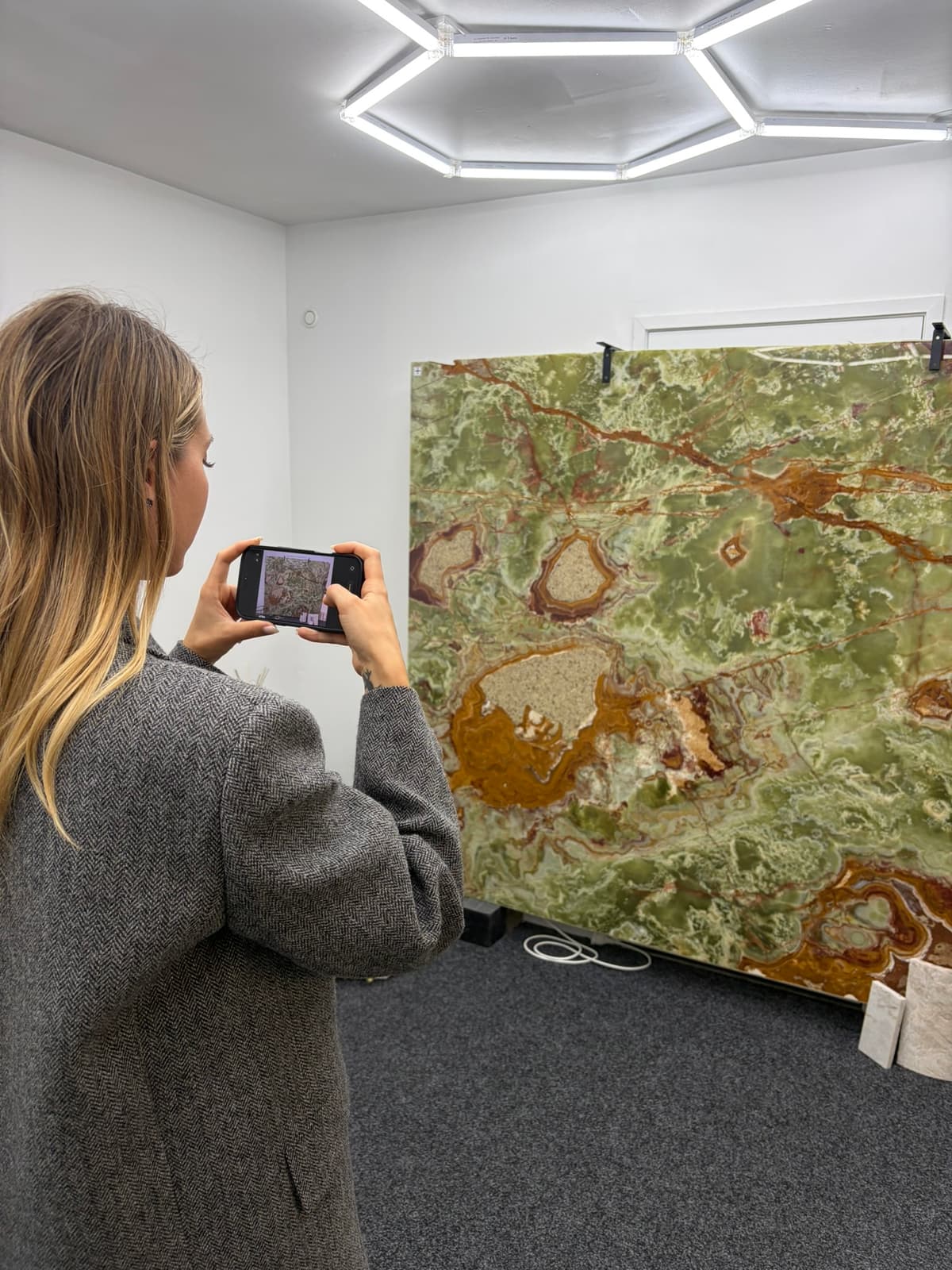
No hardware to install. SlabKast runs in your web browser. Your team photographs slabs with the phones they already carry. There is no scanner rig, no dedicated photo station, no floor space to allocate. The slab stays on the A-frame. Your fabricator takes a photo, walks back to the shop, and builds the layout on any device with a screen.
No software to download. There is no desktop application. No Windows-only restriction. No IT department required. Open a browser, log in, and work. Updates happen automatically. You always have the latest version without touching anything.
Works with any CNC machine that reads DXF. That is every major brand: Park Industries, BACA Systems, Northwood, Intermac, Breton, GMM. If your saw reads DXF, it reads SlabKast output. No proprietary file format. No vendor lock-in.
Works alongside your existing shop management software. You keep scheduling in Moraware. You keep estimating in your spreadsheets or your ERP. You keep contacts in your CRM. SlabKast plugs into the layout and approval step only. It does not try to replace the systems your team already knows. It fills the one gap those systems do not cover: showing the client what the slab looks like with their countertop on it. For the full phone-to-CNC workflow, see how it fits from end to end.
For shops of every size
The 2-person garage shop
You and your partner do everything: template, fabricate, install. You process 8 to 12 jobs per month. A $30,000 scanner does not make financial sense. But your clients still want to see the layout before you cut, especially on the $5,000 quartzite kitchen that represents half your monthly revenue.
SlabKast gives you the same visualization capability the 50-person shop has, without the capital investment. You photograph the slab on your phone during lunch, build the layout in 15 minutes, and send the client an approval link before you leave for the day. One prevented remake pays for six months of the subscription.
The 50-person multi-location fabricator
You have three locations, 15 fabricators, and a sales team that needs to show layouts during client meetings. Maybe you already have a scanner at your main facility. But your satellite shops do not. Your sales people cannot haul a scanner rig to a client meeting at a design showroom.
SlabKast extends digital layout capability to every location and every team member without additional hardware. Your satellite shop photographs slabs locally. Your sales team builds quick layouts on a tablet during meetings. Your main shop uses SlabKast alongside the scanner for jobs where speed matters more than sub-millimeter measurement. Everyone works from the same platform.
The mid-size shop growing fast
You are doing 30 to 50 jobs per month. You know you need digital layout tools. You have been pricing scanners. You are not sure whether the investment is right for this year or next year. SlabKast lets you start digital layouts now, this week, without a capital expenditure. Use it for six months. See how digital approval changes your remake rate. See how faster approvals improve your throughput. Then, if you still want a scanner for measurement accuracy, you add one alongside SlabKast. Or you decide the phone-photo workflow delivers enough accuracy for your operation and you save $30,000. Either way, you are not waiting anymore. You are not pushing the decision to next quarter. You start today. Read the best stone fabrication software comparison to see how the options stack up.
The approval problem every shop has
The client says "I trust you" during the slab selection. They mean it in that moment. But "I trust you" is not the same as "I understand what the finished product will look like." Trust without understanding is where disputes start. The client trusts you to make good decisions. But their idea of a good decision and your idea of a good decision may not match.
They imagined the veins running horizontally across the island. You placed them vertically because that gave better yield and a cleaner seam. Both are valid decisions. But the client does not know about yield optimization. They know what they pictured in their head. And when the installed countertop does not match the picture in their head, the word "trust" stops being enough.
Digital approval eliminates the trust gap. You are not asking the client to trust your judgment. You are showing them the outcome and asking them to confirm it. They see the vein direction on the actual slab. They see the seam location. They see the waterfall edge alignment. If something does not match their expectation, they tell you now — when a revision costs two minutes of dragging pieces on a screen — instead of after installation, when a revision costs $4,000 and three weeks.
The approval link also protects your shop. You have a digital record: the client saw this specific layout on this specific slab and approved it on this specific date. If there is a dispute later, you have proof that the client was shown the result before fabrication. That documentation is worth its weight in stone. Every fabricator who has eaten a remake cost on a "but that is not what I wanted" complaint understands the value of a timestamped approval.
Questions from shop owners evaluating software
Is SlabKast a replacement for Moraware or other shop management software?
No. SlabKast does one thing: slab visualization, layout, and CNC export. It does not handle scheduling, estimating, invoicing, or customer management. If you use Moraware, JobTracker, or any other shop management system, SlabKast works alongside it. You continue managing your jobs in your existing system and use SlabKast for the layout and approval step.
Do I need to install anything on my computers or CNC machine?
No. SlabKast runs in a web browser. There is nothing to install, no software to update, and no server to maintain. You access it from any device with a browser — desktop, laptop, tablet, or phone. The DXF files it exports are standard files that your existing CNC software already reads.
How is this different from Slabsmith or other scanner-based systems?
Slabsmith and similar systems require dedicated scanner hardware — a camera rig, controlled lighting, and a flat scanning area. They produce excellent results but cost $15,000 to $60,000 and require a dedicated space in your shop. SlabKast uses a phone photo instead of a scanner. You photograph the slab wherever it sits, upload the photo, and work from there. The trade-off: scanner systems capture sub-millimeter measurements. SlabKast provides layout-grade accuracy from a calibrated photo at a fraction of the cost.
Can my whole team use it or is it limited to one user?
Your subscription covers your shop. Multiple team members can log in from different devices. Your lead fabricator can photograph slabs in the yard on a phone. Your office manager can build layouts on a desktop. Your sales person can share approval links from a tablet at a client meeting. Everyone works from the same project data.
What if I only do 10 to 15 jobs per month? Is it worth it?
A single remake on a mid-range kitchen countertop costs $3,000 to $5,000. If slab layout software prevents one remake per year, it has paid for itself several times over. Beyond remake prevention, the time savings on approvals and the ability to show clients their layout before cutting often win additional jobs. Most shops at any volume find the ROI positive within the first month or two.
Can I try it before I commit to a subscription?
Yes. SlabKast offers a 7-day free trial with full access to every feature. No credit card required to start. Photograph a slab from your yard, build a layout, send a client an approval link, and export a DXF. If it does not fit your workflow, you have not spent a dollar.
See what your shop is missing. Try it on a real slab.
Grab your phone, photograph any slab in your yard, and build a layout in your first 15 minutes. No credit card. No contract. No hardware to set up. Just the tool, the slab, and the result.
Want to focus on a specific capability? Slab layout software · Vein matching software